The World's First AI-Powered Scam Detector, Norton Genie, Now in ChatGPT
Get instant scam checks and trusted Cyber Safety advice from Norton without leaving your ChatGPT conversation
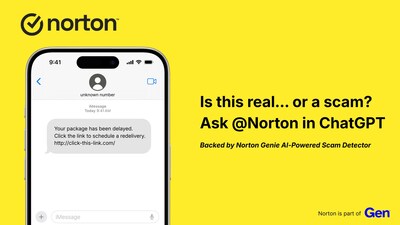
The new Norton app in ChatGPT allows people to share suspicious emails, texts, messages, images, or links and get clear, immediate guidance on whether something looks safe, risky, or like a scam. In addition to being able to check Genie inside the Norton app, people can now access the same trusted Cyber Safety intelligence in ChatGPT, where they are already asking questions.
"AI is quickly becoming part of our daily lives. People are already asking ChatGPT whether they should click, pay, or respond," said
According to the Gen Threat Report, more than 90 percent of threats targeting people in 2025 came from scams, phishing, and fake advertisements. Many of these attacks are designed to look ordinary and convincing, making it hard to know when to trust a message and when to pause.
Helping People Make Sense of Suspicious Messages
The Norton app in ChatGPT is designed for the kinds of questions people face every day, such as:
- "@Norton, this email says my account will be locked if I do not act now. Is this a scam?"
- "@Norton, I got a text about a missed delivery with a link. Should I click it?"
- "@Norton, this message looks like it's from my bank, but something feels off."
- "@Norton, is this online deal real, or is it trying to steal my information?"
Unlike tools that only check whether a link is known to be malicious, Norton looks at the full context of a message. It examines the language, intent, and tactics being used, alongside URL and domain checks, to spot common scam patterns like impersonation, pressure to act quickly, or requests for sensitive information.
Norton then provides clear, easy-to-understand guidance, explaining why something may be risky and what steps to take next, such as avoiding a reply, not clicking a link, or deleting the message altogether.
Security That Fits Naturally into Everyday Life
The Norton app in ChatGPT is designed to feel simple and familiar. Anyone using ChatGPT can use the Norton app and paste in messages or images to get help checking for scams and ask Norton for safety guidance in plain language, just as they would ask a friend or family member for a second opinion.
As AI becomes a regular part of how people research and make decisions online, Norton's app reflects a broader shift in cybersecurity. Protection means helping people spot scams and other risks earlier, before they act.
How to Use Norton in ChatGPT
Getting started takes just a few steps:
-
Log in to ChatGPT
Apps are available once you are signed in. -
Open the Apps section
Visit the ChatGPT app directory. -
Find and enable Norton
Search for the official Norton app and click Connect to enable it. -
Use @Norton in your chat
Get started by asking questions like "@Norton, is this a scam?" Start questions with @Norton any time you want help checking a message, email, link, or image, or when you have questions about staying safe online.
Norton in ChatGPT is supported across Free, Plus, Team and Enterprise tiers where apps are supported. To get started, go to https://chatgpt.com/apps/ and search Norton.
About Norton
Norton is a leader in Cyber Safety, and part of Gen (NASDAQ: GEN), a global company dedicated to powering Digital Freedom with a family of trusted consumer brands. Norton empowers millions of individuals and families with award-winning protection for their devices, online privacy, and identity. Norton products and services are certified by independent testing organizations including AV-TEST, AV Comparatives, and
Gen
Press@GenDigital.com
Courtney.Rowles@Edelman.com

 View original content to download multimedia:https://www.prnewswire.com/news-releases/the-worlds-first-ai-powered-scam-detector-norton-genie-now-in-chatgpt-302704477.html
SOURCE Norton
